Typing Games
Sports Typing Games for Soccer, Boxing, and Basketball
Build speed with sports typing games covering soccer, boxing, and basketball. Learn mechanics, game scoring, and a balanced ten-minute practice routine.
By ProTypingGames ·
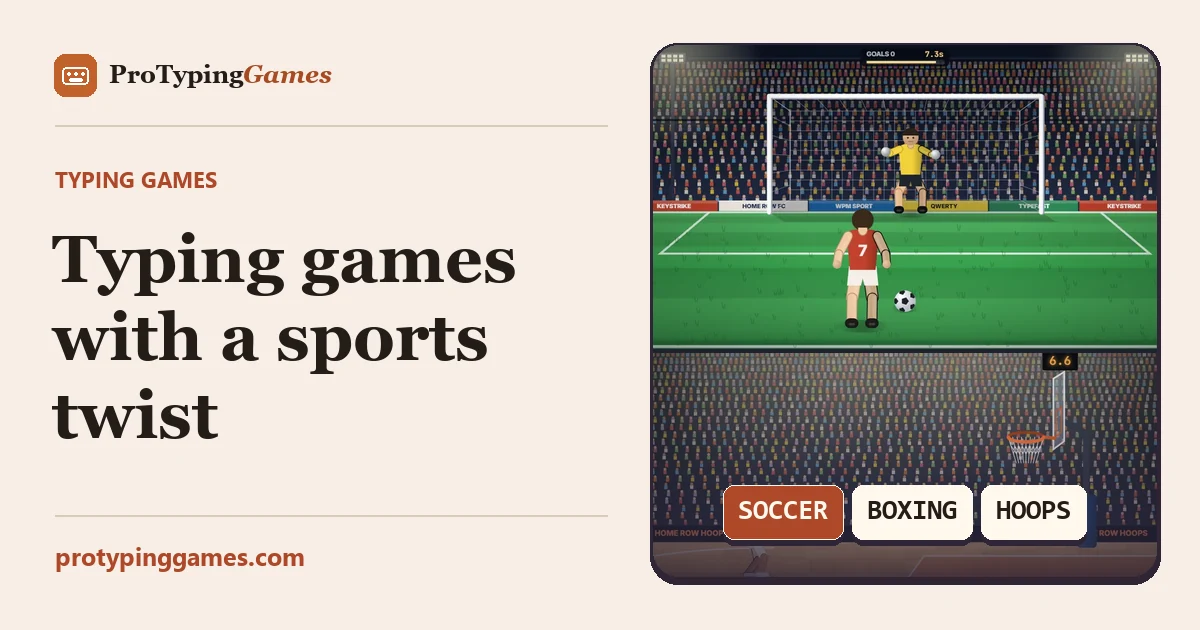
Sports typing games turn basic keyboard drills into fast-paced arcade challenges based on soccer, boxing, and basketball. By matching quick keystrokes to timed athletic actions, you can build real-time keyboard control while practicing varied word patterns under pressure.
Classic typing drills often focus on static paragraphs or continuous word streams. In contrast, athletic-themed games require you to process prompts under active visual deadlines. Whether you are aiming a soccer shot past a goalkeeper, throwing punches in a boxing ring, or sinking jump shots from the perimeter, each sport challenges your fingers with distinct pacing and input demands.
How sports typing games operate
Sports typing games on ProTypingGames use clear mechanical triggers to reward correct typing. Unlike freeform typing tests where you control the pace across a continuous passage, these games tie specific keyboard inputs directly to on-screen sports actions.
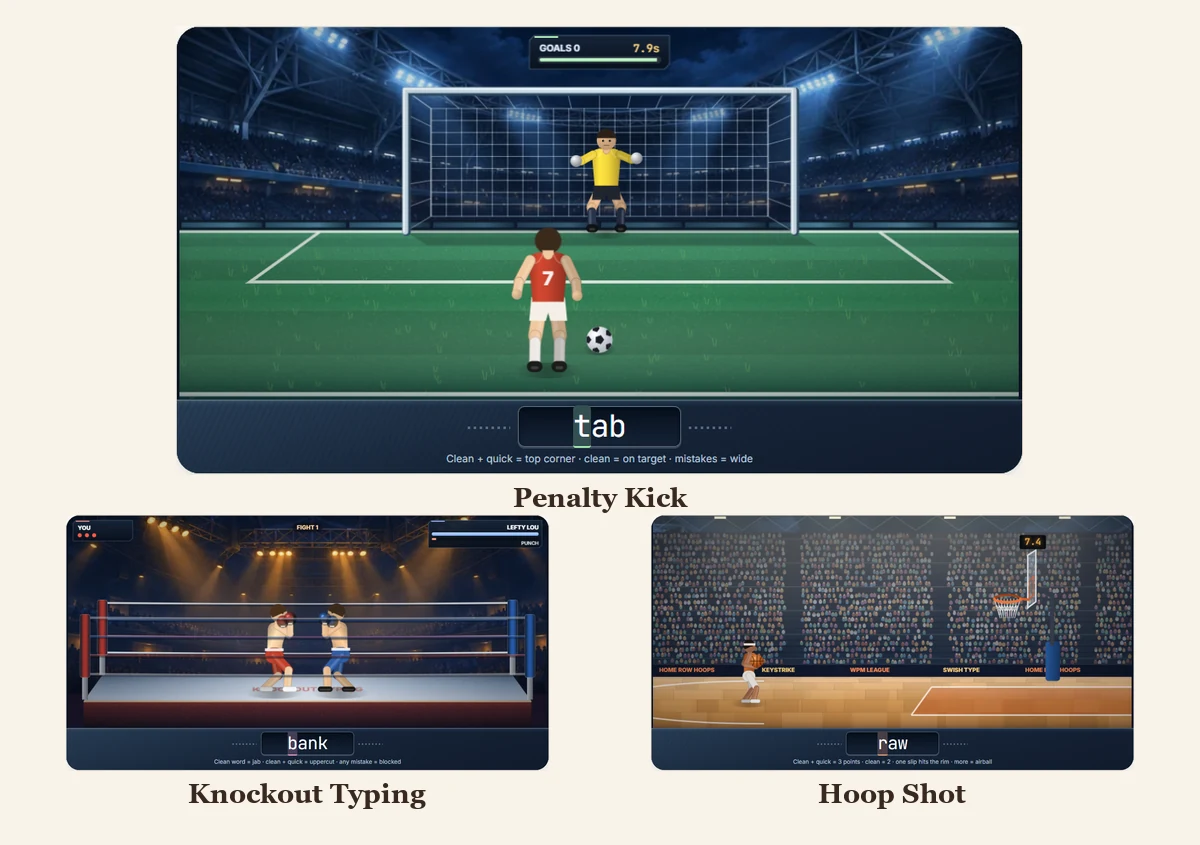
In Penalty Kick, your goal is to score goals against an active keeper. The game displays typed prompts underneath a countdown timer. You must finish entering each prompt before the countdown runs out to take your shot on goal. This mechanic trains rapid recognition under strict, individual time limits.
In Knockout Typing, the setting is a cartoon boxing competition. Rather than racing a clock for each individual punch, the game ties clean, accurate words directly to offensive strikes. Entering words correctly delivers hits against your cartoon opponent, making sustained accuracy the primary driver of success.
In Hoop Shot, basketball shooting mechanics guide the session. The game presents typed words that trigger perimeter shots and free throws as you complete each word. Clean inputs keep your shooting rhythm intact as you aim for high streaks.
Comparing mechanics across the three sports
Each game introduces a slightly different rhythm, testing separate aspects of typing coordination. Understanding how their operational logic differs helps you choose the right game for your specific training goals.
Here is how the core mechanics compare across all three titles:
- Input target: Penalty Kick uses countdown-based typed prompts. Knockout Typing requires clean, error-free words to trigger punches. Hoop Shot asks for complete typed words to launch basketball shots.
- Pacing structure: Penalty Kick imposes prompt-by-prompt time pressure through its countdown timer. Knockout Typing rewards continuous, steady accuracy to maintain offensive momentum. Hoop Shot focuses on sequential rhythm to string together consecutive baskets.
- Primary skill demand: Penalty Kick prioritizes burst speed and rapid target acquisition. Knockout Typing emphasizes error prevention, because mistakes interrupt your punching combinations. Hoop Shot trains smooth word-to-word transitions.
Because these games run on independent mechanics, their scoring systems are self-contained. A game score reflects completed goals, landed punches, or made baskets. These totals should never be directly compared to typing test metrics like raw words per minute (WPM) or net WPM.
What each game score means
A goal in Penalty Kick, a punch in Knockout Typing, and a basket in Hoop Shot tell you how a specific game responded to the prompt. Keep those scores with the game and difficulty where you earned them. A basketball score can rise because more shots were worth three points, even when the number of words you finished is unchanged.
Use the result on screen to diagnose your run. In Penalty Kick, a clean fast word can send the shot toward the top corner. A clean slower word stays on target, while a mistake can send it wide. If your shots are going wide, take one round to concentrate on clean first letters and see how many chances you keep on target. If you’re finishing accurately but often running out of time, try starting before you look down at the keys.
In Hoop Shot, a clean quick word can make a three-point swish, and a clean slower word can score two. Watch what happens after a slip and compare it with the next clean prompt. In Knockout Typing, look for clean words that land and quick clean words that deliver an uppercut. For a focused run, choose one thing to record, such as how often a mistyped first letter interrupts your attack.
To put a WPM figure alongside a game result, take a separate timed test. A one-minute copy score of 60 net WPM corresponds to 300 correctly matched character units in that minute. It answers a different question from “How many clean shots did I take?” Compare that number with another run of the same copy test, while you track the shots, goals, or punches in a separate row.
A structured ten-minute sports typing rotation
To get the most out of your practice, you can organize the games into a focused ten-minute training block. This routine balances burst speed, sustained accuracy, and steady word rhythm before closing with a standardized test.
Step 1: Burst speed warm-up with Penalty Kick (3 minutes)
Begin your session with Penalty Kick. The active countdown under each shot prompt forces your fingers to react immediately without overthinking individual key positions.
- Focus: React quickly to the prompt display as soon as it appears.
- Execution: Play for three minutes, then stop at the next prompt. Try to clear each word cleanly before the shot countdown reaches zero.
- Objective: Awaken hand-eye coordination and train fast visual intake.
Step 2: Precision punching with Knockout Typing (3 minutes)
Shift from countdown sprints to strict accuracy in Knockout Typing. Because punches depend on clean word delivery, this stage forces you to slow down just enough to eliminate miskeys.
- Focus: Maintain an even, uninterrupted typing cadence without rushing.
- Execution: Spend three minutes tracking the missed words. If you make a mistake, immediately reset your hand position on the home row before typing the next letter.
- Objective: Reinforce clean finger placement and minimize wasted motion.
Step 3: Rhythm building with Hoop Shot (2 minutes)
Transition to Hoop Shot to practice consistent word transitions. Sinking consecutive baskets requires finding a balanced tempo that links one word smoothly into the next.
- Focus: Fluid transitions between different word lengths and letter combinations.
- Execution: Play for two minutes with an emphasis on steady, unhurried keystrokes.
- Objective: Establish the rhythmic consistency needed for longer typing passages.
Step 4: Baseline measurement on a timed test (2 minutes)
Close your practice session by measuring how the arcade warm-up transfers to standard copy typing. Open a formal timed test to record your verified speed and accuracy metrics. If you want to understand how different test lengths alter your focus and results, check out our guide on the best typing test duration.
- Focus: Clean text execution on an unassisted paragraph or word stream.
- Execution: Complete a single two-minute test. Let your fingers glide through the text while relying on the rhythm established during your game drills.
- Objective: Record your official net WPM, raw WPM, and accuracy percentage.
Practical keyboard drills for sports games
Sports typing games frequently use varied vocabulary that tests difficult finger reaches. You can run these quick, original keyboard drills between game rounds to sharpen specific finger movements.
Drill 1: The home row anchor drill
This drill builds stability on the middle row so your hands return to a neutral base after reaching for top or bottom keys.
- Pattern:
a f d s j k l ; a s d f j k l ; - Practice instruction: Type the sequence ten times slowly. Keep your wrists resting comfortably and ensure your index fingers land securely on the
FandJtactile bumps after every cycle.
Drill 2: Top-row reach control
Top-row letters like Q, W, E, R, T, Y, U, I, O, and P appear frequently in sports action prompts. This drill trains vertical reaches without pulling your entire hand out of alignment.
- Pattern:
q a w s e d r f t g y h u j i k o l p ; - Practice instruction: Type the sequence five times. Move only the designated finger toward the upper row while keeping your remaining fingers hovering over their home-row anchors.
Drill 3: Bottom-row diagonal transition
Bottom-row keys like Z, X, C, V, B, N, and M require downward diagonal reaches that can disrupt your rhythm during fast game sequences.
- Pattern:
z a x s c d v f b g n h m j - Practice instruction: Type this ladder sequence six times. Pay attention to the left pinky and ring finger reaches on
ZandX, which are common trouble spots during fast countdowns.
Maximizing your daily game sessions
To ensure your practice produces steady gains over time, keep your training environment consistent:
- Maintain neutral posture: Sit upright with your feet flat on the floor and elbows bent at approximately 90 degrees. Avoid resting your palms heavily on the desk while typing.
- Watch your screen, not your hands: Sports games naturally discourage looking down at your keyboard because prompts change rapidly. Trust your muscle memory to find key positions.
- Track your errors honestly: Remember that correcting a mistake with the backspace key does not remove the scored attempt from your official accuracy percentage. Strive to get the key right on the first strike.
Open Penalty Kick right now, complete your first three-minute soccer warm-up, and track how many clean goals you can score before moving on to the boxing ring.
Put it into practice
The fastest way to improve is to play. Jump into a free typing game and try it now.
Play free typing games