Typing Drills
A 10-Minute Daily Drill to Improve Typing Accuracy
Master a structured 10-minute daily drill to fix finger transposition errors, eliminate typos, and build reliable touch typing accuracy over time.
By ProTypingGames ·
To improve typing accuracy, you must intentionally slow down to a pace where your fingers never strike an incorrect key, isolate the exact letter combinations causing your errors, and repeat those sequences with consistent physical cadence. Most typists accumulate mistakes because they push for speed before their finger paths are stable. When you make an error on a timed test, fixing the typo does not erase the failed attempt from your accuracy calculation. Accuracy equals successful character attempts divided by all scored attempts multiplied by 100. Pushing raw speed while making frequent mistakes degrades your muscle memory and lowers your net words per minute. Committing to a focused, ten-minute corrective routine every day rebuilds your motor control and establishes clean key transitions.
The mechanics of error accumulation
Typing errors generally fall into two categories: substitutions and transpositions. A substitution occurs when an adjacent or mirror-hand finger strikes a key instead of the intended target, such as hitting e instead of r, or m instead of n. A transposition happens when your hands press the correct letters in the wrong sequential order, such as typing fro instead of for, or teh instead of the.
These mistakes stem from irregular typing cadence. When you rush through familiar letter sequences and hesitate on complex reaches, your fingers lose their spatial rhythm. On standard typing tests, your raw speed reflects your total retained characters divided by five and normalized by time, while net speed deducts uncorrected errors. Because your final accuracy metric registers every miss, scrambling through corrections damages both your rhythm and your score.
To correct these patterns, you must isolate the failure point rather than simply typing random paragraphs at full speed. You need a structured routine that resets your physical baseline, isolates one problematic bigram or trigram, builds rhythmic stamina, and validates progress under timed conditions.
The 10-minute daily accuracy routine
The following drill requires exactly ten minutes of focused execution. Do not treat this session as a test of speed. Treat your chosen accuracy target, such as 98 percent or 100 percent, as an absolute threshold. If you make more than one mistake during a drill segment, you are moving too fast for your current motor coordination.
[Minute 00:00 - 02:00] Step 1: Neutral Reset and Home-Row Cadence (2 minutes)
[Minute 02:00 - 05:00] Step 2: Single Error Pattern Isolation (3 minutes)
[Minute 05:00 - 08:00] Step 3: Controlled Contextual Repetition (3 minutes)
[Minute 08:00 - 10:00] Step 4: One-Minute Benchmark Retest (2 minutes)
Step 1: Neutral reset and home-row cadence (Minutes 0 to 2)
Begin by resting your hands on the home row keys (a, s, d, f for the left hand and j, k, l, and the standard punctuation key for the right hand). Keep your wrists floating slightly above your desk surface rather than resting them flat against a wrist rest or table edge. Floating wrists allow your fingers to curl naturally downward onto the center of each keycap.
Spend the first two minutes typing slow, alternating balance strings. Type with a metronome or an internal steady count of roughly sixty beats per minute. Each keystroke must sound distinct and evenly spaced.
Type the following warm-up lines twice without looking down at your hands:
aals ddkk ffjj fjdk slak ajsk dlak fjsk
ask fad dad glad fall flask alfalfa salad
jak lad kad falk glad dash flask salads
Focus entirely on returning each finger to its home position immediately after every reach. If you feel any tension in your shoulders or forearms, drop your hands to your lap, shake out your fingers, and resume the steady rhythm.
Step 2: Single error pattern isolation (Minutes 2 to 5)
Do not attempt to fix all your typing errors at once. In each ten-minute session, choose exactly one error pattern that appeared in your recent work or tests. Spend three minutes exclusively on this pattern.
If you frequently transpose t and h, your brain is firing the motor command for the right hand before the left index finger has completed its upward reach. To retrain this movement, break the combination into isolated units, followed by nonsense words, followed by valid words.
Work through your selected pair using this progressive pattern:
- Isolated bigram: Type the exact two-letter sequence twenty times with exaggerated spaces between pairs.
- Inverted bigram: Type the reverse combination twenty times to ensure the motor paths remain distinct.
- Syllable bridge: Place neutral vowels between the problem consonants to train entry and exit angles.
- Real-word cluster: Type five real words containing the sequence at a slow, unwavering cadence.
Target Sequence: T-H
th th th th th th th th th th ht ht ht ht ht ht ht ht ht ht
tha the thi tho thu ath eth ith oth uth
that then this with cloth both path thin think there
If your issue is an adjacent finger slip such as confusing c and v, practice the specific curling movement required for the middle and index fingers of your left hand. Avoid moving on to step three until you complete thirty consecutive seconds of step two without a single miss.
Step 3: Controlled contextual repetition (Minutes 5 to 8)
During minutes five through eight, integrate your isolated pattern into complete sentences. The goal here is maintaining identical spacing between every keystroke, regardless of whether a word is short and familiar or long and technical.
A helpful tool for this stage is Zen Type, which presents prompts without countdown timers or sudden failure states. This allows you to practice without the psychological urge to rush.
Type through these specialized training sentences, keeping your speed capped at roughly half of your maximum burst rate:
They thought that thirty thin thieves walked through the thick forest path.
Every brave traveler moves over several heavy curves without ever slowing.
Small gentle ripples drifted past the tall silver cliffs beside the lake.
Quick nimble fingers jump past dark brown boxes when precision counts.
During these three minutes, pay close attention to your peripheral hand movement. If your elbows flare outward or your non-typing fingers fly upward away from the keyboard, slow down further. Every excessive finger movement introduces a fraction of a millimeter of spatial drift, which causes missed keys on subsequent strokes.
Step 4: Benchmark retest and cooldown (Minutes 8 to 10)
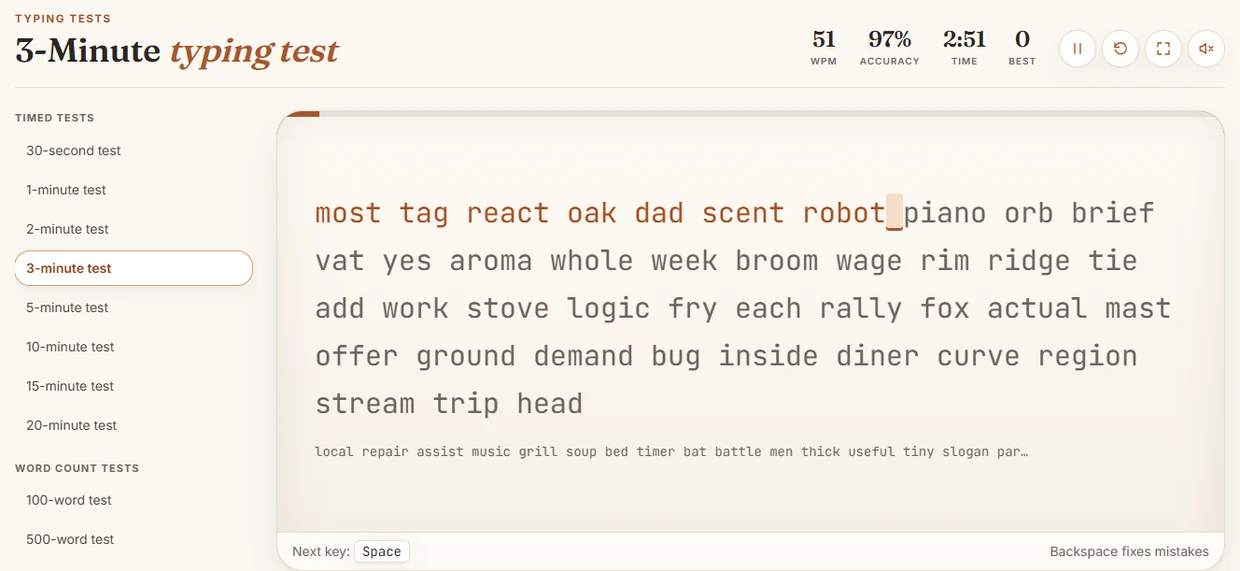
Use the final two minutes to evaluate your accuracy under standard test conditions. Load a standard 1-minute typing test that uses an English word stream. The test timer begins on your first accepted keystroke.
Do not look at the running word count or timer during the test. Fix your eyes strictly on the upcoming word in the prompt. Aim for an accuracy score of 98 percent or higher. Once the test concludes, record your accuracy percentage, your total attempts, and any specific words where an error occurred. Spend the remaining minute taking slow deep breaths, dropping your hands off the keyboard to relax your tendons.
Targeted drills for common letter collisions
Different keyboard zones create specific physical challenges. The table below lists frequent substitution and transposition trouble spots along with focused practice sets.
| Error Type | Problem Pair | Mechanical Cause | Target Practice String |
|---|---|---|---|
| Transposition | ie vs ei | Alternating hand timing slip | tier receive grief ceiling field yield reign weight brief |
| Transposition | on vs no | Right-hand rolling timing | into none lion noon iron pond song knob upon only |
| Substitution | e vs r | Left middle and index reach confusion | red tree peer free ever deer rest read rear term |
| Substitution | m vs n | Right bottom-row index reach angle | main name many mind moon norm menu mint memo norm |
| Substitution | b vs v | Left index bottom reach extension | verb brave bevel above vivid blend brave bevel fiber |
| Mirror Shift | d vs k | Symmetrical middle finger confusion | dark kid desk kind duck keel disk knit dock keep |
If you find your fingers continuously missing bottom-row letters, the cause is usually resting your palms heavily on your laptop chassis or desk. Lifting your palms frees the flexor muscles in your fingers, allowing clean access to z, x, c, v, b, n, and m.
Tracking your accuracy data
To break through persistent performance roadblocks, maintain a physical or digital accuracy log. A typist struggling with erratic errors will often discover that their accuracy drops predictably after three minutes of continuous typing, or during passages containing specific clusters. Tracking these occurrences prevents random practice and helps you overcome a typing speed plateau.
Here is an example format for your weekly accuracy log:
| Day | Session Target Pair | Drill Accuracy (Step 3) | 1-Min Retest Accuracy | Primary Failed Word |
|---|---|---|---|---|
| Monday | th / ht | 100% | 98% | length |
| Tuesday | c / v | 99% | 97% | service |
| Wednesday | ie / ei | 100% | 99% | neither |
| Thursday | b / v | 98% | 96% | available |
| Friday | d / k | 100% | 99% | kindred |
| Saturday | Mixed top row | 99% | 98% | property |
| Sunday | Review hardest pair | 100% | 100% | None |
In this tracking model, if your 1-minute retest accuracy drops below 97 percent on any given day, repeat that exact same target pair the following day instead of advancing to a new combination. Consistent 99 percent accuracy at 45 net words per minute provides a much stronger foundation for long-term improvement than erratic 75 words per minute typing with 91 percent accuracy.
Handling punctuation and numerical reaches
Once your alphabetical accuracy stabilizes above 98 percent, incorporate punctuation marks and numbers into your ten-minute block. Punctuation introduces asymmetric finger extensions that frequently throw your right hand off its home position.
Take a punctuation typing test to discover which symbols destabilize your hand position. Common problem areas include the apostrophe, quotation mark, hyphen, and period followed by a space. When reaching for symbols or capitalization, maintain anchor contact with at least two fingers on the opposite hand so your resting position remains stable.
Use this three-line punctuation control set during step two or three of your drill:
"Wait!" said the officer, "Did he ask for John's car, or yours?"
Items on the list include: apples, oranges, pears, and user-defined tools.
Total cost: $45.00 (tax included); please verify order #8920 today.
Notice how the left shift key must be held cleanly while the right pinky strikes the quotation mark. Releasing the shift key a fraction of a second too early produces lowercase errors or misplaced punctuation.
Implementing your first session
Set a digital timer for ten minutes right now. Pick one troublesome letter pair from your most recent typing session, review your wrist position to confirm your hands are floating above the keys, and proceed methodically through the four steps. Hold yourself strictly to your chosen accuracy threshold throughout all ten minutes, and log your final score immediately upon completion.
Put it into practice
The fastest way to improve is to play. Jump into a free typing game and try it now.
Play free typing games