Practice Languages
Spanish Typing Practice for Ñ, Accents, and Punctuation
Master Spanish keyboard layouts, dead keys, accents, and inverted punctuation using targeted practice drills and built-in site tools.
By ProTypingGames ·
To master Spanish typing, you must configure your operating system to output Spanish characters and set the practice-language picker on ProTypingGames to load localized text prompts. This setup allows you to smoothly write essential characters including ñ, accented vowels (á, é, í, ó, ú), the diaeresis (ü), and inverted punctuation marks (¿, ¡). Adjusting your operating system settings alters the signals generated by your physical keyboard. Changing the language selector on ProTypingGames changes the prompt text displayed on screen without modifying your site interface or system layout.
On macOS, you can add and manage input sources through system settings to toggle between active keyboard layouts seamlessly, as detailed in the official Apple Mac input language guide. On Windows and Linux platforms, similar language preference menus let you add regional input profiles. Once added, you can switch between your primary language and Spanish using operating system keyboard shortcuts. Remember that selecting Spanish inside the ProTypingGames practice menu updates the exercise content, but your operating system remains responsible for translating physical keypresses into Spanish characters.
Configuring your system and layout options
When typing in Spanish, two main keyboard arrangements dominate: Spanish (Spain) and Spanish (Latin America). Both layouts provide direct access to Spanish letters and symbols, but key placements differ slightly across regional standards. On a Spanish (Spain) layout, the ñ key resides directly to the right of the l key on standard QWERTY keyboards. The acute accent key sits immediately to the right of ñ. On a Spanish (Latin America) layout, ñ occupies that same position next to l, but punctuation marks like inverted question marks and brackets are assigned to different key combinations.
Spanish typing relies heavily on dead keys. A dead key does not immediately produce a visible character on screen when pressed. Instead, it stores the accent modifier in memory and applies it to the next vowel you type. To create á, you press the acute accent dead key once, release it, and then press a. If you press an accent dead key followed by a space, the standalone accent mark appears on screen.
If your layout puts the diaeresis on a Shift layer, hold Shift while pressing that dead key. Release both keys, then press u. Inverted marks like ¿ and ¡ occupy dedicated keys or require shift combinations depending on your chosen regional layout. Because physical keycap printings vary across countries, learning by muscle memory rather than reading key caps leads to faster, more confident typing.
Navigating accent contrasts and special punctuation
Accents in Spanish alter both pronunciation and word meaning. A missing or misplaced accent transforms the grammatical function of a word entirely. Understanding these contrasts helps you spot errors instantly during timed typing tests.
Consider the distinction between si and sí. Without an accent, si functions as the conjunction meaning “if”. With an acute accent, sí is the affirmative adverb meaning “yes” or the reflexive pronoun meaning “himself” or “herself”. For example: Si vienes a la fiesta, dime que sí. (If you come to the party, tell me yes.)
Another common pair is el versus él. The unaccented el is the masculine definite article meaning “the”, while él with an accent is the singular masculine pronoun meaning “he” or “him”. For example: El perro camina con él. (The dog walks with him.)
Similar accent rules apply to tu (your) versus tú (you), as well as se (reflexive pronoun) versus sé (I know / be). Practicing these exact words in sentences trains your fingers to reach for the dead key automatically whenever the context demands a pronoun or affirmative response.
Inverted punctuation marks are another signature feature of written Spanish. Sentences that ask questions open with an inverted question mark (¿) and close with a standard question mark (?). Sentences that express strong emotion start with an inverted exclamation mark (¡) and end with a standard exclamation point (!). Opening marks prepare the reader for the tone of the sentence from the very first word.
Copy these four Spanish sentences to practice ñ, accented vowels, the diaeresis, and inverted punctuation marks:
- ¿El niño pidió más agua para él en el restaurante?
- ¡Qué vergüenza que la cigüeña no volara sobre el pingüino!
- Si tú quieres, él te dirá que sí al instante.
- ¿Cuándo empezó la lección de español para los alumnos?
Structured Spanish typing mini drills
Focused repetition is the most effective way to build accuracy with new keyboard layouts. Work through the following three mini drills slowly, ensuring every dead key stroke and special character is executed correctly before building speed.
Drill 1: Key-Sequence Foundations (Accents and Ñ)
- ña ñe ñi ño ñu
- á é í ó ú
- ñaña caña peña niño año
- café menú rápido quién fácil
Drill 2: Accent Differences in Context
- el / él: El coche es de él.
- si / sí: Si me dices que sí, iremos.
- tu / tú: Tú guardaste tu abrigo.
- te / té: Te sirvo un vaso de té caliente.
Drill 3: Inverted Marks and Diaeresis
- ¡Hola! ¿Cómo estás hoy?
- ¿Por qué no vino el pingüino a la reunión?
- ¡Excelente trabajo con la cigüeña en el parque!
- ¿Dónde está el camión de la comparsa?
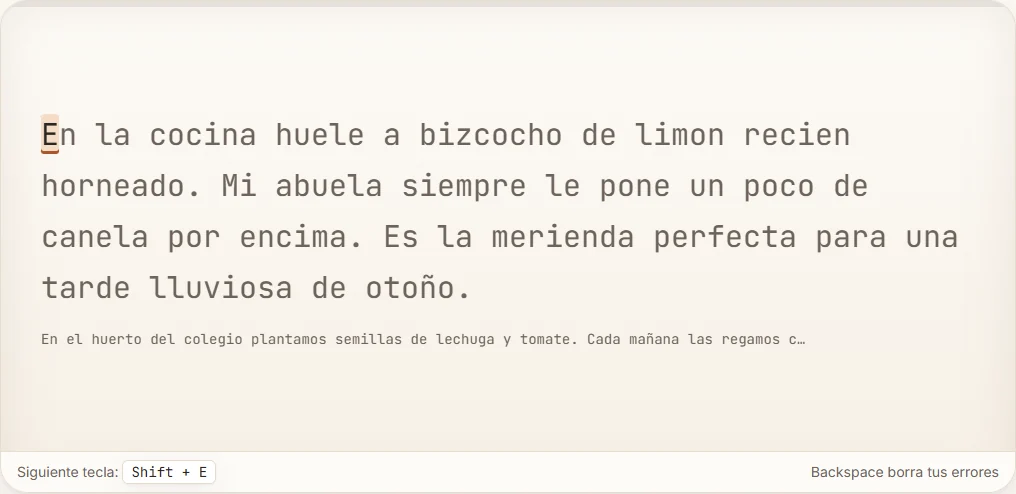
Once you feel comfortable with isolated lines, test your stamina on longer passages using our Spanish paragraph typing test. Paragraph tests present continuous prose that requires sustained attention to accents and punctuation under real-time conditions. If you want to evaluate your speed in brief bursts, run a 3-minute Spanish typing test to track your characters per minute over time. You can also explore general symbol techniques in our typing test punctuation drills guide to strengthen your overall keyboard dexterity.
Find the key that caused the miss
Check what your keyboard actually produces in a blank document. Type ano and año on separate lines. If both come out as ano, open your keyboard viewer and confirm which input layout is active. Look for ñ in the viewer even if the keycap displays something else. Then test ñ by itself, followed by the original word.
Use the same approach for accents. Type cafe once, then café twice. If the mark appears as a separate character before the e, check that the key you’re using acts as a dead key on your layout. If the accent faces the other way, the layout may offer separate keys or modifier layers for acute and grave accents. Find the one shown in the prompt and practice it in two more words, such as está and menú.
Punctuation has its own check. Trying ¿Listo? and ¡Sí! in a plain text editor lets you isolate each opening mark before the timer starts. A keyboard may put the two question marks on different keys even though they belong to the same sentence. Watch for spaces inside the marks as you copy. The first character of ¿Listo? is ¿, followed immediately by the capital L.
In a timed test, write down which type of mark causes a pause. Fixing a typo repairs the text, while the first missed attempt still counts in your accuracy score. Keep a simple before-and-after record like “missed two acute accents” or “needed three tries to find ¡.” Then repeat a short drill for one mark and return to the test at the same pace. That record helps you see which part of the keyboard is improving even on days when your WPM barely changes.
Daily practice routine for Spanish accuracy
To steadily improve your Spanish typing skills, adopt a structured daily warm-up routine:
- Verify operating system input settings: Ensure your operating system language layout is set to Spanish before starting your browser session.
- Select Spanish in ProTypingGames: Use the practice-language picker on site to load Spanish exercise prompts independently of the UI language.
- Warm up with dead key drills: Spend two minutes typing accented vowels and ñ sequences to prime your muscle memory.
- Complete timed sentence runs: Run focused speed checks to build consistency across inverted punctuation and special characters.
- Review detailed character results: Check your correct characters per minute count on the final test screen to identify areas where dead keys slowed your rhythm.
Switch your operating system input layout to Spanish right now, select Spanish in the ProTypingGames practice picker, and complete your first paragraph test to start building flawless muscle memory today.
Put it into practice
The fastest way to improve is to play. Jump into a free typing game and try it now.
Play free typing games