Typing Drills
Typing Practice for Apostrophes, Quotes, and Commas
Master apostrophes, quotation marks, and commas with targeted drills, copy passages, and finger placement techniques to improve your typing accuracy.
By ProTypingGames ·
Punctuation typing practice develops finger coordination for keys located off the home row, specifically the comma, apostrophe, and quotation mark. Mastering these characters requires building muscle memory for right-hand lateral reaches and synchronized Shift key presses without disrupting typing cadence. Regular practice on targeted punctuation drills stabilizes your hand position, reduces hesitation when transitioning between letters and punctuation marks, and prevents common rhythm breaks during continuous writing.
Finger placement and reach mechanics
On a standard ANSI QWERTY keyboard, punctuation marks rely heavily on the right hand. The comma sits on the bottom row, operated by the right middle finger moving down and slightly right from the K key. The apostrophe and double quotation mark share a single key on the home row, positioned directly to the right of the colon key and reached by the right pinky finger.
[ Q ] [ W ] [ E ] [ R ] [ T ] [ Y ] [ U ] [ I ] [ O ] [ P ] [ [ ] [ ] ]
  [ A ] [ S ] [ D ] [ F ] [ G ] [ H ] [ J ] [ K ] [ L ] [ ; ] [ ' / " ]
    [ Z ] [ X ] [ C ] [ V ] [ B ] [ N ] [ M ] [ , ] [ . ] [ / ]
If you use an alternative layout such as Dvorak or Colemak, these physical locations differ. Dvorak places the apostrophe and quote key on the upper left corner of the keyboard, operated by the left pinky, while the comma occupies the top row under the left middle finger. Always verify your active operating system input mapping before starting targeted punctuation exercises.
Executing these keystrokes cleanly requires distinct physical movements:
- The comma reach: Move the right middle finger down from K to comma while keeping your right wrist flat and stationary. The index and ring fingers should hover near their home positions rather than drifting off the keyboard.
- The single apostrophe reach: Extend the right pinky outward from the home position to strike the apostrophe key. Do not pivot the entire hand outward from the wrist; instead, isolate the pinky extension.
- The double quote execution: Use the left pinky to press and hold the left Shift key while the right pinky strikes the quote key. Releasing the Shift key immediately after the strike ensures subsequent lowercase letters register correctly.
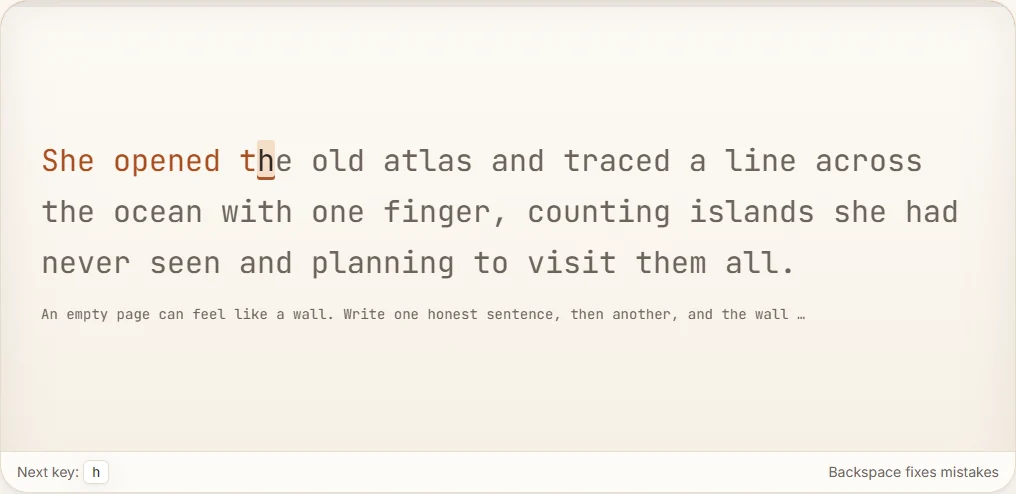
Maintaining home row anchor points prevents your hands from floating. When your index fingers stay aware of the raised tactile bumps on the F and J keys, your hands snap back to baseline instantly after reaching for awkward punctuation marks.
Straight quotes compared to curly quotes
Typing practice engines and real-world editors handle quotation marks differently depending on character encoding. Standard software environments typically accept straight ASCII quotes, represented by single vertical marks for apostrophes and double vertical marks for quotes. Modern word processors frequently convert these inputs automatically into curved typographical marks, often called smart quotes or curly quotes.
Typing tests evaluate literal character input matching. When a test prompt presents straight ASCII quotes, inputting a curly quote generates an error. Conversely, if a system expects dedicated directional quotation marks, typing standard straight quotes will count against your accuracy score.
| Character Name | Visual Form | ASCII Code | Common Keyboard Input |
|---|---|---|---|
| Straight Apostrophe / Single Quote | ' | 39 | Apostrophe key |
| Straight Double Quote | " | 34 | Left Shift + Apostrophe key |
| Left Single Curly Quote | ‘ | 8216 | Alt code / Compose key / Auto-format |
| Right Single Curly Quote / Typographic Apostrophe | ’ | 8217 | Alt code / Compose key / Auto-format |
| Left Double Curly Quote | “ | 8220 | Alt code / Compose key / Auto-format |
| Right Double Curly Quote | ” | 8221 | Alt code / Compose key / Auto-format |
When practicing inside a timed punctuation assessment, pay close attention to the visual render of the prompt. Follow the exact character requirement specified on screen without assuming automatic character replacement.
Paired warm-up drills
Isolating punctuation marks alongside standard vocabulary builds confidence. Practice these paired sequences at a steady tempo, focusing on equal time intervals between consecutive keystrokes.
Comma pacing drills
These pairs contrast words with and without following commas to train instant recovery back to the spacebar:
apple, apple apple, apple apple, applebread, butter, cheese, milk, eggs, flourfirst, second, third, fourth, fifth, sixthrun, jump, walk, sprint, crawl, climbcalm, cool, quiet, still, peaceful, softnorth, south, east, west, up, down
Contraction and possessive drills
These drills train the right pinky to fire mid-word without adding accidental spaces or pausing the typing rhythm:
it its it's its it's its it'scant can't wont won't dont don'ttheyre they're were we're youve you'veisnt isn't arent aren't havent haven'tthe cat's toy, the dog's leash, the bird's wingJames's book, Marcus' car, children's games
Quotation dialogue drills
These patterns integrate capital letters with surrounding quotes and commas. Check our guide on capital letter typing practice for dedicated shifting drills that coordinate both pinkies smoothly:
"Wait," she said. "Look," he replied."Go," said Mark. "Now," added Paul.He whispered, "Run." She called, "Stay.""Yes," I agree, "that plan works well.""Stop," they yelled, "do not move ahead."
Full copy practice passages
Copy the following text passages into your offline editor or local typing environment. Aim for uninterrupted rhythm and complete accuracy across all punctuation marks.
Passage 1: Dialogue, lists, and contractions
“We can’t leave yet,” Maria said, checking the kitchen counter, the pantry shelves, and the refrigerator. “I haven’t found Arthur’s keys, and he won’t get far without them.” Tom set down his backpack, sighed, and reached into his jacket pocket. “Don’t worry, they’re right here in my coat. Let’s grab the apples, oranges, bread, and water bottles before the weather turns bad.” Maria smiled, adjusted her hat, and replied, “That’s a relief. It’s going to be a long, demanding, and rewarding hike.”
Focus areas for passage 1
- Managing contractions like
can't,haven't,won't,they're,Let's,That's, andIt'swithout pausing between the base letters and the apostrophe reach. - Coordinating quotes and commas at dialogue boundaries, ensuring the comma stays inside the closing quotation mark according to standard formatting.
- Executing serial lists containing multiple commas, keeping your right middle finger fluid across repeated downward reaches.
Passage 2: Formal editorial structures and nested punctuation
In the editor’s preliminary notes, several terms required closer review. The report states, “The committee’s initial assessment, which covered the project’s design, budget, and implementation timeline, revealed significant gaps.” Furthermore, the author noted, “When participants selected ‘Option A,’ they expected immediate delivery; when they picked ‘Option B,’ they preferred lower overall costs.” Every department’s supervisor received a copy, verified the figures, and submitted their team’s final feedback without delay.
Focus areas for passage 2
- Transitioning between double quotes and single nested quotes around
'Option A'and'Option B'. - Handling possessive apostrophes across technical vocabulary, including
editor's,committee's,project's, anddepartment's. - Balancing complex clauses separated by commas alongside quotation blocks without drifting away from the home row.
Accuracy mechanics and error impact
In standard typing evaluations, punctuation errors carry substantial penalties because they interrupt normal word formation. Most typing platforms calculate accuracy using a straightforward formula:
Accuracy = ( (Successful Scored Attempts ÷ All Scored Attempts) ) × 100
Every misstruck key counts against your score immediately upon entry. Correcting a mistyped apostrophe or comma by pressing the Backspace key cleans the retained output, but the initial misstrike remains counted in your total attempts. For example, if you type cant instead of can't, press Backspace twice, and type 't, you have expended five keystroke attempts to generate four correct characters.
Timed punctuation tests calculate metrics using character streams grouped into five-character standard words:
- Raw Words Per Minute (WPM): Retained typed character units divided by 5, divided by elapsed minutes.
- Net Words Per Minute (WPM): Correctly matched character units divided by 5, divided by elapsed minutes.
- Correct Characters Per Minute (CPM): Total matched characters entered per minute.
When you stumble over an apostrophe or comma, your raw WPM drops due to the physical hesitation, while your net WPM drops further from uncorrected character mismatches. Testing your skill under timed conditions reveals whether your punctuation reaches match your alphanumeric speed.
Take a structured benchmark on our punctuation typing test to measure your baseline speed on punctuation-heavy text streams. To evaluate your punctuation handling within standard prose paragraphs, complete the dedicated paragraph typing test.
Practical routines for everyday improvement
To build dependable muscle memory for punctuation keys, integrate five minutes of dedicated drills into your daily typing routine. Begin each session with slow, deliberate repetitions of the paired contraction lists. Focus entirely on finger independence, ensuring the right pinky moves outward without the rest of the hand shifting away from the keyboard base.
Once individual reaches feel natural, alternate between short dialogue sentences and full prose copy passages. Keep your typing speed roughly ten words per minute below your top alphanumeric speed until you achieve ninety-eight percent accuracy or higher across punctuation blocks. By maintaining steady hand positioning and deliberate shifting mechanics, apostrophes, quotation marks, and commas will integrate smoothly into your everyday writing flow.
Put it into practice
The fastest way to improve is to play. Jump into a free typing game and try it now.
Play free typing games