Typing Tests
Why Your Typing Speed Drops on Real Paragraphs
Find out why your typing speed drops on real paragraphs compared to word lists, and run a two-minute check to pinpoint what slows you down.
By ProTypingGames ·
Real paragraphs slow you down because they add capital letters, punctuation, unfamiliar words, and longer visual scanning than simple word lists. Those extra keystrokes and pauses force your fingers and eyes to shift rhythm constantly.
If you feel fast on a standard word stream and clumsy on an email or essay, you are not imagining the gap. A word list lets your hands settle into a steady, lowercase groove. A real paragraph breaks that groove every few seconds. The good news is that you can measure the exact size of your slowdown in four minutes and figure out which habit is causing it.
Set up a fair two-minute comparison
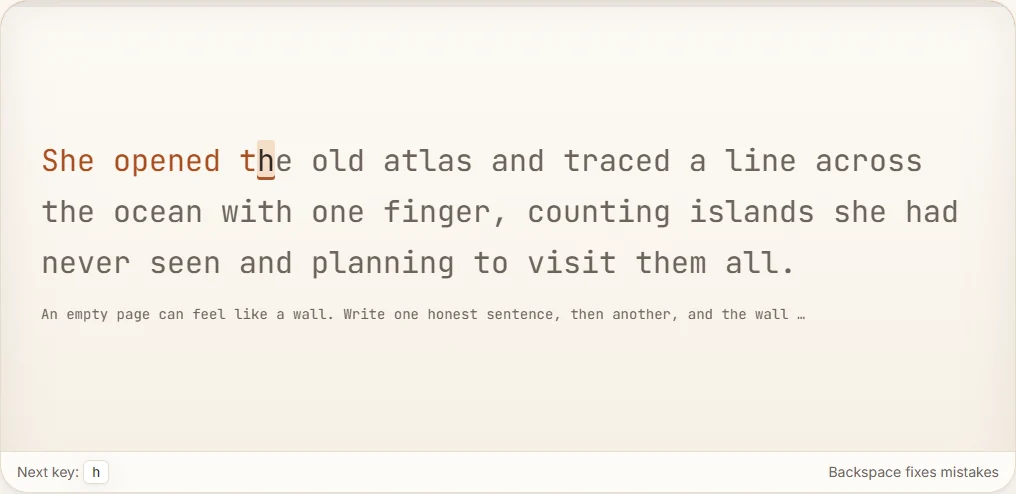
To see how much real text slows you down, compare two tests of the exact same length. Start with the two-minute typing test, which uses an English word stream. Right after that, take the two-minute paragraph test, which uses separate paragraph content.
On both tests, the timer starts on your first accepted typing input after you start the test. You do not lose time while you read the opening words before you press the first key. If you make a mistake, Backspace works across spaces within the active screen, though you cannot return to completed pages.
When you finish each test, write down three numbers from your results: net WPM, raw WPM, and accuracy. Raw WPM takes your retained typed character units, divides by 5, and divides by the number of minutes. Net WPM takes your correctly matched character units, divides by 5, and divides by the number of minutes. Accuracy is your successful attempts divided by all scored attempts, multiplied by 100 and rounded.
Keep one scoring rule in mind as you compare your two runs. Fixing a typo with Backspace does not erase that attempt from your accuracy score, even though the deleted character is not in your retained raw total. Also, you cannot find net WPM by multiplying raw WPM by your accuracy percentage. Look at net WPM and accuracy side by side so you can see both your speed and your error rate clearly.
What actually slows you down in paragraphs
Once you have your two scores, it helps to know why the paragraph number is almost always lower. Five specific demands appear in paragraphs that rarely show up in word lists.
Capital letters
In a lowercase word stream, your pinky fingers mostly rest. In a paragraph, every new sentence and proper noun asks for a Shift key. Holding Shift with one hand while pressing a letter with the other takes coordination. If you release Shift a fraction of a second too early or too late, you either get a lowercase letter or two capitals in a row.
Punctuation marks
Commas, periods, apostrophes, and quotation marks sit on the outer edges of the keyboard. Reaching for them pulls your right hand out of its home-row position. Symbols that require Shift, such as question marks or quotation marks, add another layer of timing.
Unfamiliar words
Word-stream tests rely heavily on common, high-frequency words that your fingers already type as single chunks. Real paragraphs bring in longer, rarer words, names, and technical terms. When your brain meets an unfamiliar word, it drops from whole-word muscle memory down to letter-by-letter spelling.
Awkward transitions
In a paragraph, you constantly move from a lowercase letter to a punctuation mark, then to a space, and then to a capital letter. Those four-key sequences are much harder to execute smoothly than four lowercase letters in a row.
Visual scanning
Your eyes have to work harder on a paragraph. You are tracking punctuation, line wraps, and longer clauses while your fingers are still finishing the previous word. If your eyes get stuck on a tricky phrase, your fingers pause to wait for instructions.
A tiny side-by-side exercise
You can feel the difference between a word list and a paragraph in a single line of text. Try typing these two short lines at your normal pace and pay attention to where your hands hesitate.
Line A (word-list style):
time make work good hand part
Line B (paragraph style):
Time, work, and "good" parts.
Line A has 30 characters, and Line B has 29 characters. On paper, they look almost identical in length. In practice, Line B demands far more from your hands. You have to hold Shift for the T in Time, reach for the comma after Time, reach for another comma after work, hold Shift for the opening quote before good, hold Shift again for the closing quote, and hit the period at the end.
Now look at how that friction shows up in a two-minute test score. Suppose you type 600 retained character units in 2 minutes on the word stream, with 590 correctly matched character units.
- Word-stream raw WPM: 600 / 5 / 2 = 60 WPM
- Word-stream net WPM: 590 / 5 / 2 = 59 WPM
Next, suppose you type 500 retained character units in 2 minutes on the paragraph test, with 475 correctly matched character units.
- Paragraph raw WPM: 500 / 5 / 2 = 50 WPM
- Paragraph net WPM: 475 / 5 / 2 = 47.5 WPM
Even though both tests lasted two minutes, your net speed dropped by 11.5 WPM. That gap is your paragraph tax.
Differential diagnosis for your score drop
Not everyone loses speed for the same reason. Use your two-minute comparison to narrow down what is actually holding you back.
Net WPM drops, but accuracy stays high
If your accuracy on the paragraph test is just as clean as your accuracy on the word stream, your fingers are not the main problem. Your eyes and brain are slowing down to read unfamiliar words, process punctuation, or scan ahead. You are trading speed for caution.
To test this, pay attention to when you pause. Do you stop mid-word on longer vocabulary, or do you hesitate right before a comma or period? Knowing where the pause happens tells you whether you need more reading-ahead practice or more comfort with symbol keys.
Both net WPM and accuracy drop
If your speed falls and your accuracy falls with it, your hands are stumbling over the mechanics of real text. Common culprits include mistimed Shift keys, missed commas, and rushed transitions between words and punctuation.
Remember that fixing a typo with Backspace still leaves the original miss in your accuracy calculation. If you notice yourself hitting Backspace repeatedly on the same kinds of keys, those keys are costing you twice. You lose time correcting them, and you lose net WPM if any errors slip through.
You freeze on symbols and quotes
If you feel comfortable with capital letters and longer words, but your rhythm collapses around apostrophes, hyphens, or quotation marks, isolate those keys. Take the punctuation typing test to see how you handle symbol-heavy text on its own. You can also work through targeted punctuation drills to build muscle memory for the outer edges of the keyboard without the pressure of long-form reading.
How to close the gap
You do not need to abandon word-stream tests to get faster at real writing. You just need to train the specific skills that word lists leave out.
First, let your eyes lead your fingers by one or two words. When you read slightly ahead, a capital letter or a quotation mark will not catch your hands by surprise.
Second, slow down slightly on the transition into a capital letter or punctuation mark. Pressing the key cleanly on the first try is faster than rushing, missing it, and reaching for Backspace.
Third, alternate between word-stream tests and paragraph tests in your practice routine. Watching the gap between those two net WPM numbers shrink is a clear way to track real-world progress.
Open the two-minute word-stream test and the two-minute paragraph test back to back right now, write down your net WPM and accuracy from each, and pick the one habit from your diagnosis to work on today.
Put it into practice
The fastest way to improve is to play. Jump into a free typing game and try it now.
Play free typing games